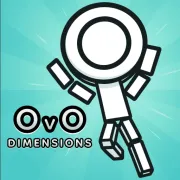
Play OVO 2 to experience the best follow-up to the famous parkour game. Learn how to move in more complex ways, make your way through levels full of dangerous spikes and moving platforms, and test your reflexes against obstacles that get harder and harder to avoid.
OVO 2 is the advanced platformer follow-up to OVO. You run, jump, slide, and wall-jump your way through levels that get harder and harder. Learn how to run quickly, collect coins to get new skins for your character, and make it to the exit flag.
It has more than 40 difficult levels with better controls and graphics. Good for people who like platformers.
Dedra Games' skilled team has created OVO 2, the much anticipated sequel to the wildly successful OVO platformer. In OVO 2, you control a stickman character as you progress thru more difficult stages, testing your platforming abilities.
The new version improves on the previous one by introducing better graphics, physics, more movement options, and more content to the story mode, making advancing thru it more exciting.
The four basic moving skills required to operate OVO 2 are sprinting, jumping, sliding, and wall-jumping. You can run about and move horizontally across stages by holding down the left or right arrow keys.
The up arrow allows you to jump up, which is useful for navigating gaps and hurdles. If you press the down arrow while sprinting, you can slide to avoid low spikes and continue.
Wall-jumping and jumping off vertical surfaces are possible by pressing the up arrow while sliding down a wall. This lets you get up difficult vertical parts. In OVO 2, mastering these basics opens the door to more advanced moves and faster finishing times.
Expert OVO 2 players know that combining simple moves gives them big advantages when moving. Jump-sliding is when you jump right after sliding, which moves you horizontally further while keeping your air-based momentum.
When you land, pressing the "super jump" button and the down arrow at the same time speeds you up to full speed right away, which is very useful for speedruns. When you dive-jump, you do down-presses in the air and then jump back up to keep your top speed over long distances.
Wave-dashing carries out exact directional inputs to make movement as efficient as possible. These advanced combos are what set top OVO 2 speedrunners apart from casual completionists.
The process of starting up OVO 2 is easy. Here are the steps you need to take to start your platform gameplay:
To get to the game, use any web browser to go to the OVO 2 portal. There's no need to install anything or make an account—you can start playing right away.
Accept that you will fail. In OVO 2, you have to try each level more than once, and you can expect to retry difficult stages dozens of times.
To make changes, finish levels by collecting coins and then use the credits you earn to buy skins for your characters on the main menu.
Start the slides before low ceilings or tunnels so you don't clip the edges. Slide early and release late.
Cut down on the bends. Platforms with shallow angles save frames without wild jumps.
Clear the level first to get 100% coin lines, then play it again to get more coins.
Focusing on one part for 15 to 20 minutes at a time is better than grinding for hours on end.
OVO 2 shows that a few sharp moves can make depths that go on and on. Slide early, chain smart jumps, and smash with all your might. The momentum loop is fun whether you're clearing your first world or shaving seconds off of a coin route.